Backuparr
Everything you host, backed up.
Scheduled backups of the apps you host - media management, downloaders, media servers, network, security, home automation and server apps - sent to every destination you enable: Local Storage, Google Drive, OneDrive and Dropbox. Backups are encrypted with your own key by default, and most apps restore from the web UI. Everything - apps, destinations, schedule, retention and restores - is set up in the web UI, not env vars.
Most apps are backed up through their own API or web UI; some also need their folder mounted into Backuparr. See the full list of apps.
How safe are your backups and credentials? Security principles explains what Backuparr protects, how, and what it leaves to you.
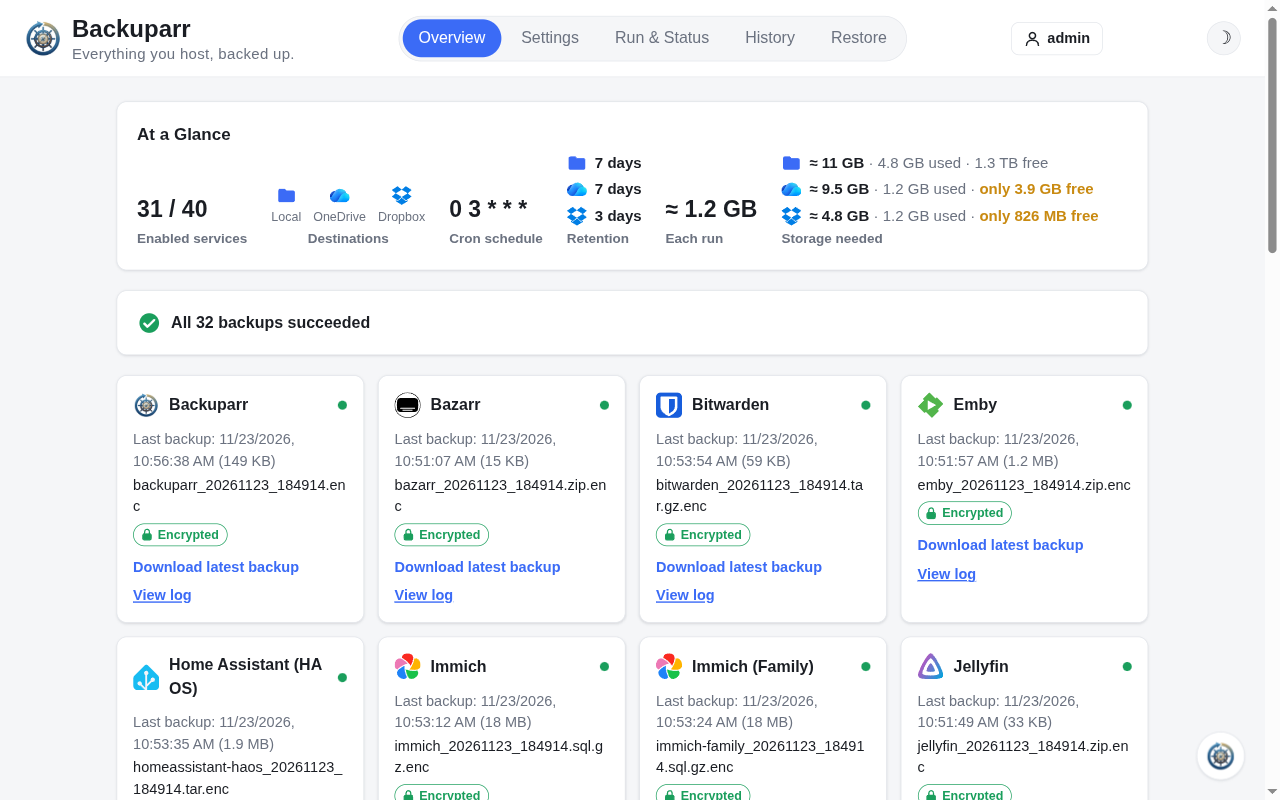
Where to find things
- Features - everything Backuparr does, in one list.
- Getting started - install with Docker, on Unraid or from source, the first run and updating.
- Apps - how each app is backed up and restored, with notes for the apps that need extra setup.
- Destinations - Local Storage, Google Drive, OneDrive and Dropbox.
- Backups and history - the schedule, retention, the check before upload, run logs and the History tab.
- Restoring - restoring an app, the version check, and restoring Backuparr itself.
- Settings - Prowlarr discovery, more than one instance of an app, and authentication headers for apps behind a reverse proxy.
- Security principles - how Backuparr protects your backups and credentials, and what it leaves to you.
- Login and security - the admin login, password recovery, your encryption key and Backuparr’s own backup.
- Notifications - Discord, Slack, Telegram, Gotify, ntfy and more.
- Environment variables and the Configuration reference.
See the changelog for release history.
AI disclosure: This project was built with substantial assistance from Claude (Anthropic) - code, documentation, and commit history included. Reviewed and maintained by a human.