Architecture
Backuparr is one container. It reaches each app the way the app itself offers a backup, and sends the result through rclone to the destinations you enable.
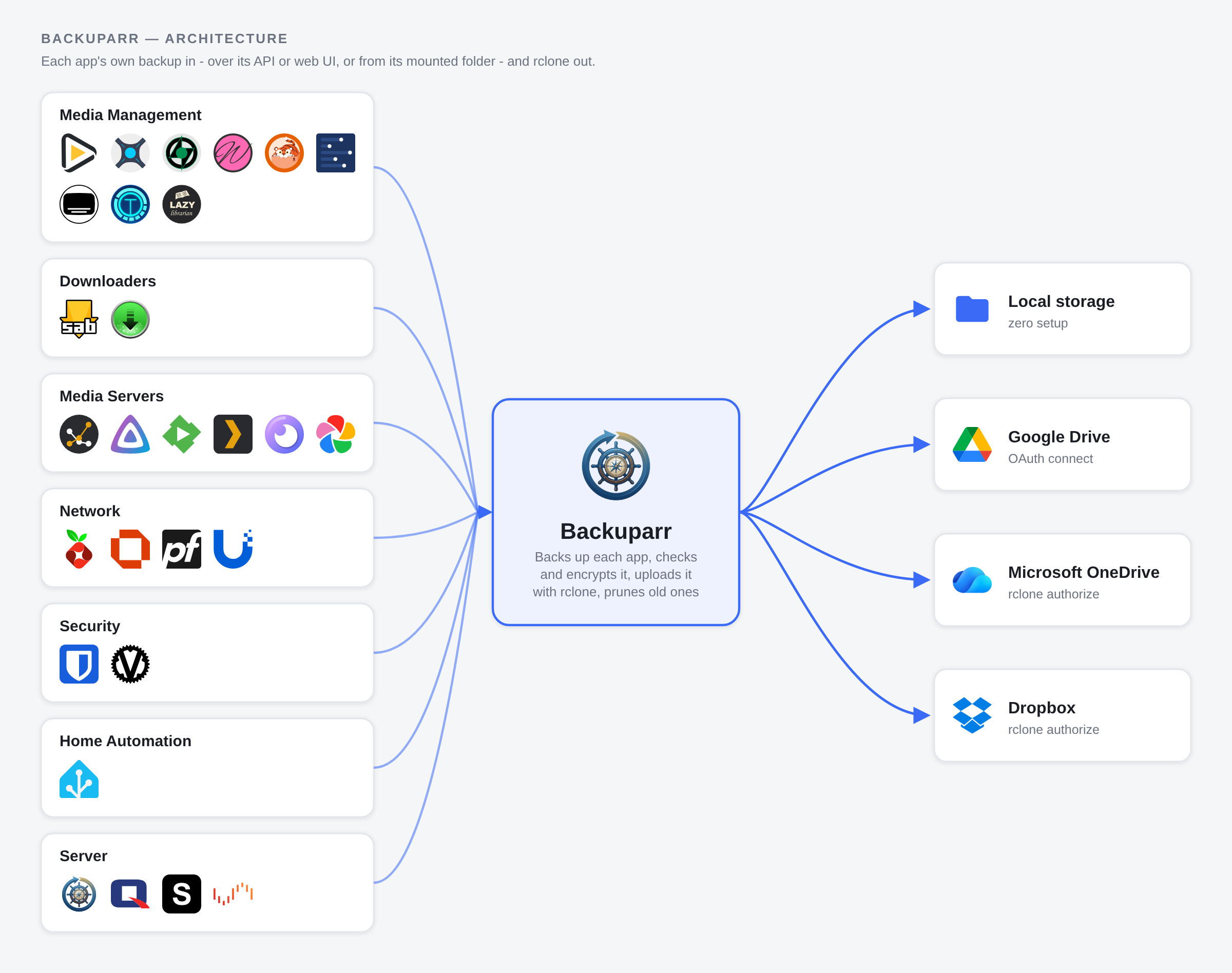
How a backup runs
On its schedule, or when you click Run backup now, Backuparr backs up each enabled app in turn:
- Makes the app’s own backup. Most apps make it through their API or web UI; a few are copied from their folder, mounted into Backuparr. See Apps for each one.
- Checks it before anything is uploaded: the archive must be whole and hold what that app’s backup holds. See The check before upload.
- Encrypts it with your encryption key, unless you turned that off for the app.
- Uploads it with rclone to every destination you enabled, as
<app>/<app>_<date>_<time>.<ext>, and adds it to the backup record: its version, size and checksum. - Prunes backups older than the retention - only files with a name Backuparr gave them.
A full run ends with Backuparr’s own backup. Each run has a log on Run & Status, and the Overview shows every app’s latest backup.
A restore runs the other way: Backuparr fetches the backup, checks it against the backup record and the app’s version, decrypts it and hands it back to the app. Apps Backuparr can’t restore get a download and their own steps instead. See Restoring.
Backups and restores never overlap: one waits for the other.